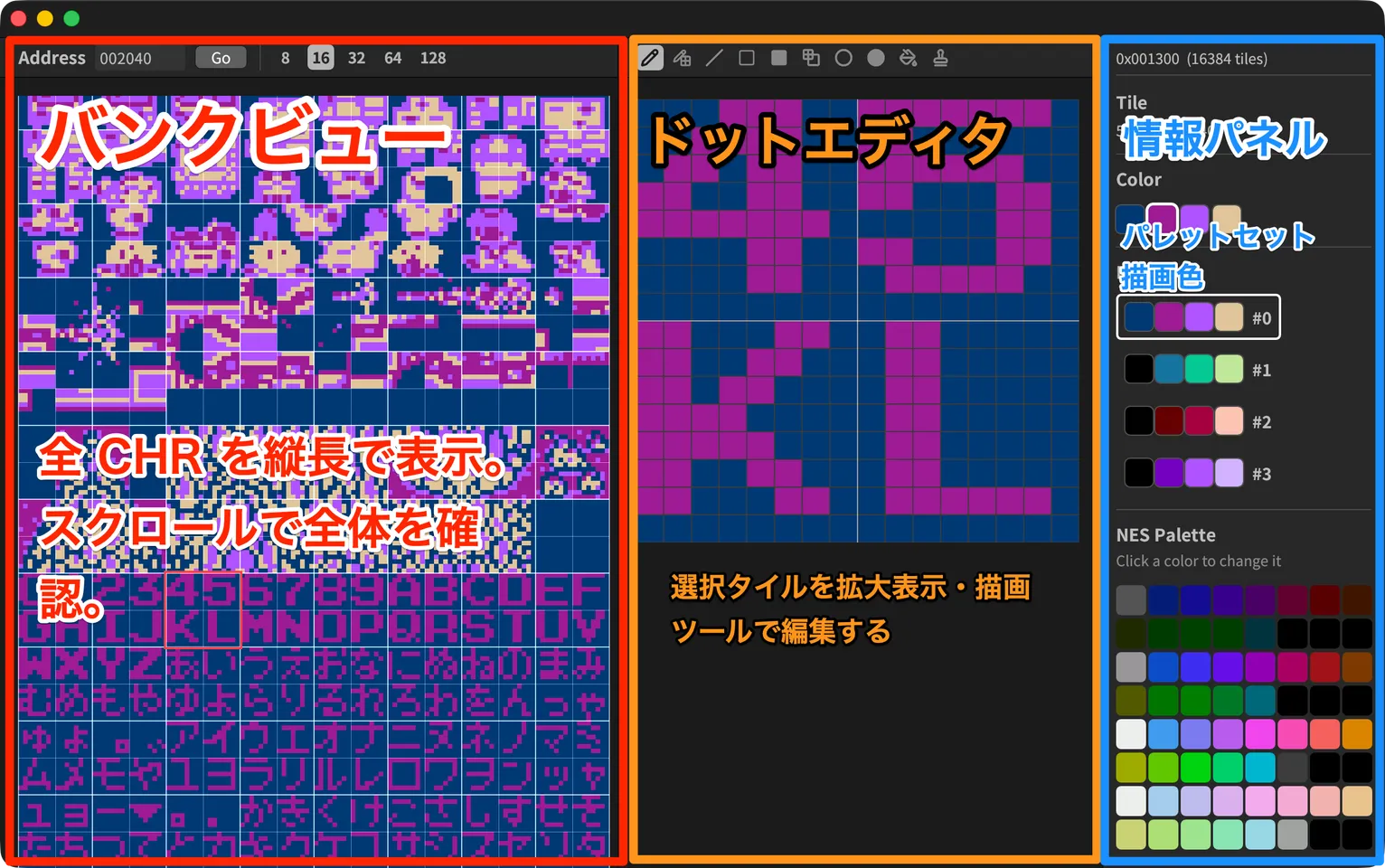
R-CHR is a tile editor for editing NES (Famicom) graphics data (CHR).
Inspired by the basic features of the classic CHR editor YY-CHR, it adds shape drawing tools, PNG import and other features that make pixel art easier. It is open-source software (MIT License) written in Rust, and runs on macOS, Windows and Linux.
Features
Viewing and editing CHR data
- Opens
.nes(iNES format ROMs containing CHR-ROM),.bin(headerless CHR data) and.zip(the.nesinside is extracted automatically) - Shows all CHR data in one continuous vertical scroll, with jumps to a hexadecimal address
- Switch the editing area (focus size) between 8 / 16 / 32 / 64 / 128 px
- Tile copy and paste, and up to 100 steps of undo
10 drawing tools
- Pencil, Pencil (pattern, every other dot)
- Line, Rectangle (outline / fill / pattern), Ellipse (outline / fill)
- Flood Fill
- Stamp: capture an area and paste it as many times as you like
- Right-click to pick a color
PNG import
- Imports not only indexed-color PNG (1 / 2 / 4 / 8 bit) but also full-color PNG (RGB / RGBA)
- Choose from three mapping strategies — Palette Match, Index Direct and RGB Approximate — and preview the result
- Transparent pixels are automatically mapped to index 0 (the background color)
Palettes
- Set 4 sets × 4 colors from the 64 NES colors, and switch sets with the
Z/X/C/Vkeys - Load YY-CHR compatible
.pal(master palette) and.dat(palette sets) files, and save.datfiles
And more
- Japanese and English user interface
Download
Download the file for your OS from GitHub Releases.
| OS | File |
|---|---|
| macOS (Apple silicon) | R-CHR-macos-aarch64.zip |
| Windows (x86_64) | R-CHR-windows-x86_64.exe |
| Linux (x86_64) | R-CHR-linux-x86_64 |
If you have a Rust development environment, you can also build and run it from the source code with cargo run --release.
For detailed usage, see the README.